CloneLBAA tool to transfer 512-byte LBA sectors.
CloneLBA.zip, Version 1.2, Size: 6,348 bytes.
CRC32/MD5 codes: BAC7D984/5A638EAAC3A95B9C3033D38E12216B20. This is tested and known to work in Windows 98, where it is intended to be used. Most other systems already have tools to do this! CloneLBA copies sectors, exactly as they exist, from a device to an image, or vice versa. It's like RawWrite, but that worked only on floppy disks! The simplest and fastest useful operation is shown below, to backup and restore the first sector, which includes the Master Boot Record (MBR) for an LBA disk. It is an EXACT copy, of any number of sectors, given space to put the collection of 1GB files needed to make or restore a large image. There is no compression. This means ANYTHING on a disk can be extracted or replaced. It might be for forensic analysis, or to put a Raspberry Pi OS onto a hard disk for booting one from there, a preparation normally impossible in a W98 system. W98 is a great system, when adapted with KernelEx, NUSB, etc, so there are many reasons to stay with it (good quality external hardware that used to cost many thousands of pounds, for example), but those who use it need ways to migrate at need, based on easy methods based in what they know. This program is for anyone who recognises this need. Even those who do NOT need it in the context described above, might value it for being extremely direct about what it does, because it makes EXACT copies, there is no risk, no capability, of misinterpreting the data and corrupting it, which more complex systems may do, either through bugs or user error. It is so simple, that it is worth using it for that reason alone, because if you can run it, you can prepare any disk, for any system, if you have a raw image for it. This is something that a surprising number of more complex tools will fail to do well. 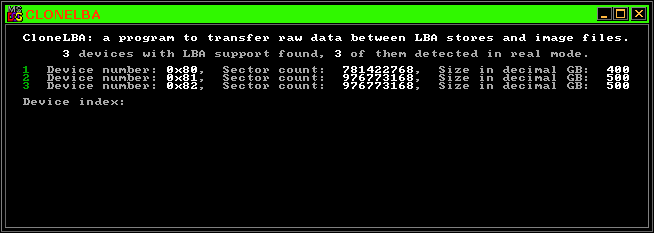 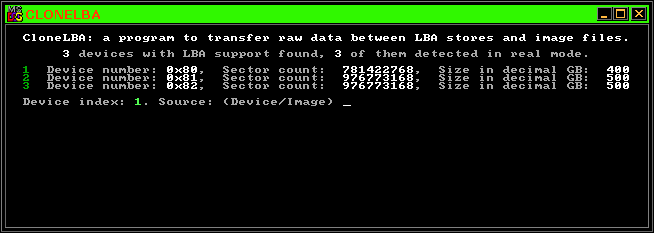 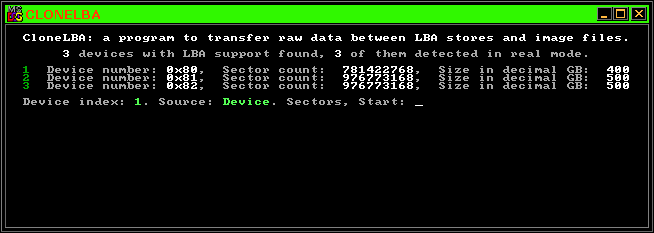 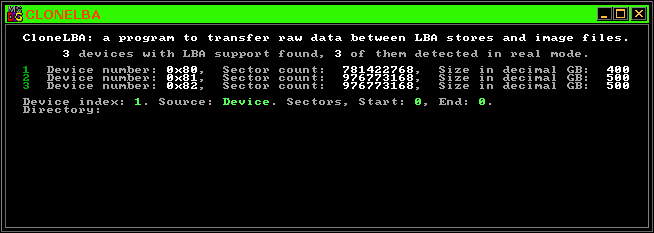 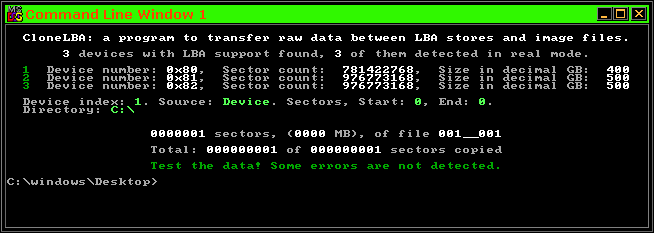 The first five images show the sequence of moves needed. It's as simple as a bludgeon, but the consequences of error can be enormous, so I'm spelling it out as clearly as possible. Practise making images FIRST! It's infinitely safer, and you need to anyway, else what would you have to restore from unless you already downloaded a raw image of a new operating system? (Even then, you'd need to split it into 1GB chunks and rename the files for CloneLBA to use.) In this case the image is a single 512 byte file, named "001_001", meaning the first of one. The last image in any set will almost always be less than 1GB in size, but all those that precede it will be exactly that size. The last three digits will always declare the total file count. This makes it easy to maintain a store and to know what the total size is too. ALWAYS keep each image in a single directory or archive, because this is the only context for uniquely named files. A file called "NOTES.txt" or anything else you want, may coexist with those files in the same directory. It won't affect the handling of the image data files. 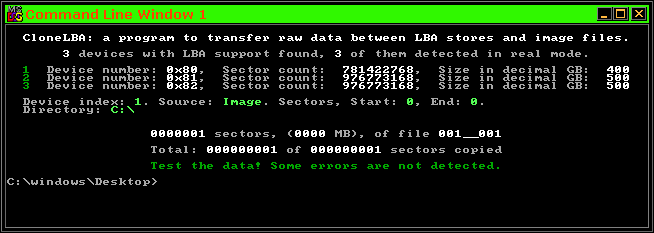 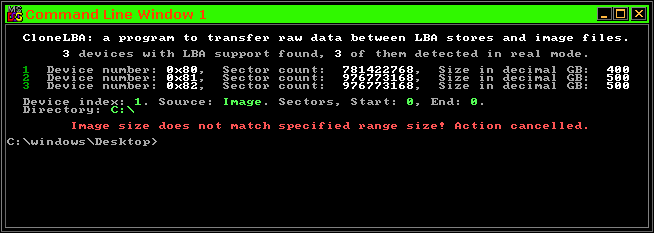 The final images show the result of transferring back to the same device, from an image made from it. Only the word 'Device' and 'Image' differ. (As selected, in green text). The last image shows what happens if the image is deleted before trying to use it. Other errors are detected if they exist, and an appropriate red warning will be given, and the program will fail safe. Take care that your start and end sector values and total counts are carefully set. The sector range size must match the total data size exactly, for an existing image file set. Above all, pay attention to which device you're using! The basic report given when first running the program will help with that, not least because the program is able to detect disks that were added on USB. Other tools often fail to notice these, or 'see' them again if the USB connection is unreliable. In the end, it's up to you to test the results of any action. Measure thrice, cut once, etc.. The green text warning of a need to test is generally an indication of success, but it's there to remind you, every time, of the need to think carefully about what you ask this thing to do! Notes on colours: I like them, they really help in a commandline tool, and many programs fail to handle DOS or console screen buffers correctly. I wrote my own methods, they have been applied here, in BitPatch, and in LuaTools, but I will also add the method to a single web page for programmers who want to use it. It's ideal for Real Mode DOS tools, even tiny COM files, because I developed in ASM for Watcom, and also for native Windows programming. I set it up with a minimal API that allows it to be used exactly the same way, regardless of context, though compiling details will be something the programmer will need to set up for themselves. I made sure it compiles with GCC or TCC, so it's not hard to do this. |